Before the queue
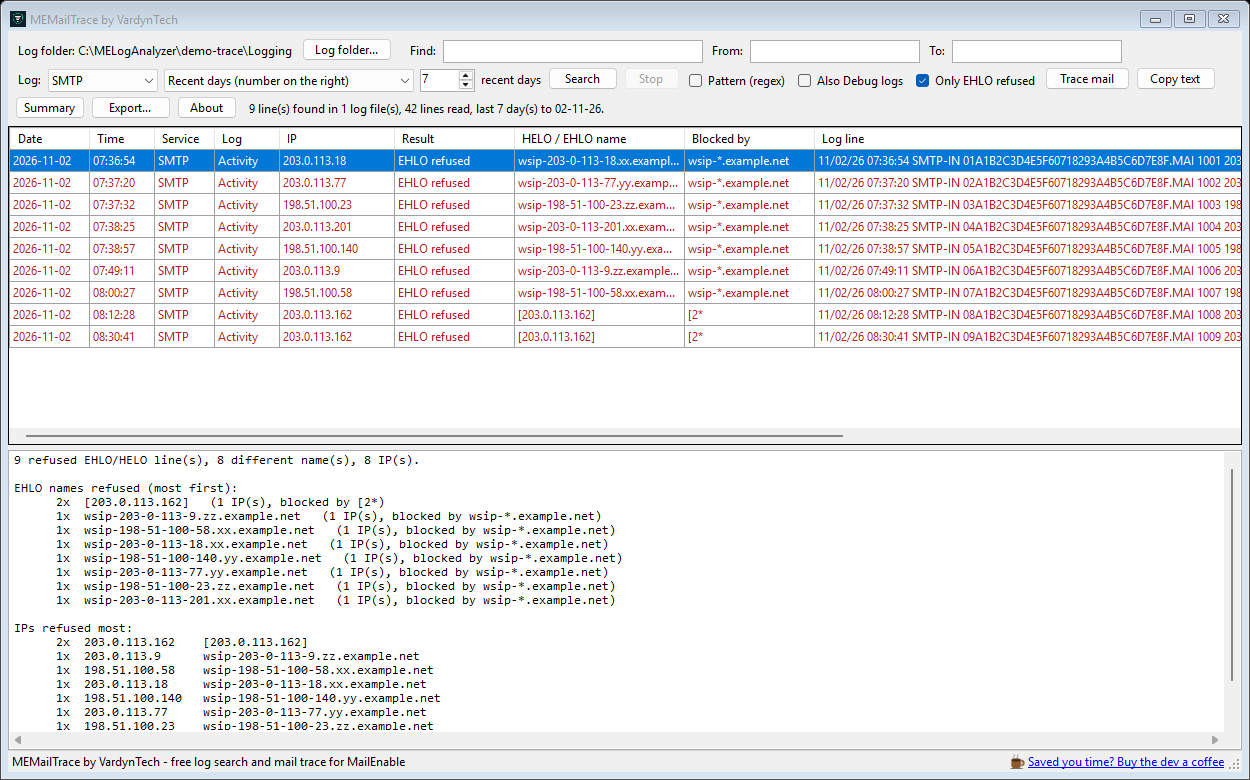
An EHLO-blocked connection never reaches a normal message-route trace.
 VardynTechnologies
Download free
Free MailEnable utility
Free · Read-only · Runs locally on WindowsFind out what happened to a mail.
MEMailTrace reads the raw MailEnable records that message-route trace cannot show, then gives you one clear, copyable story for the incident.
The gap it fills
An EHLO-blocked connection never reaches a normal message-route trace.
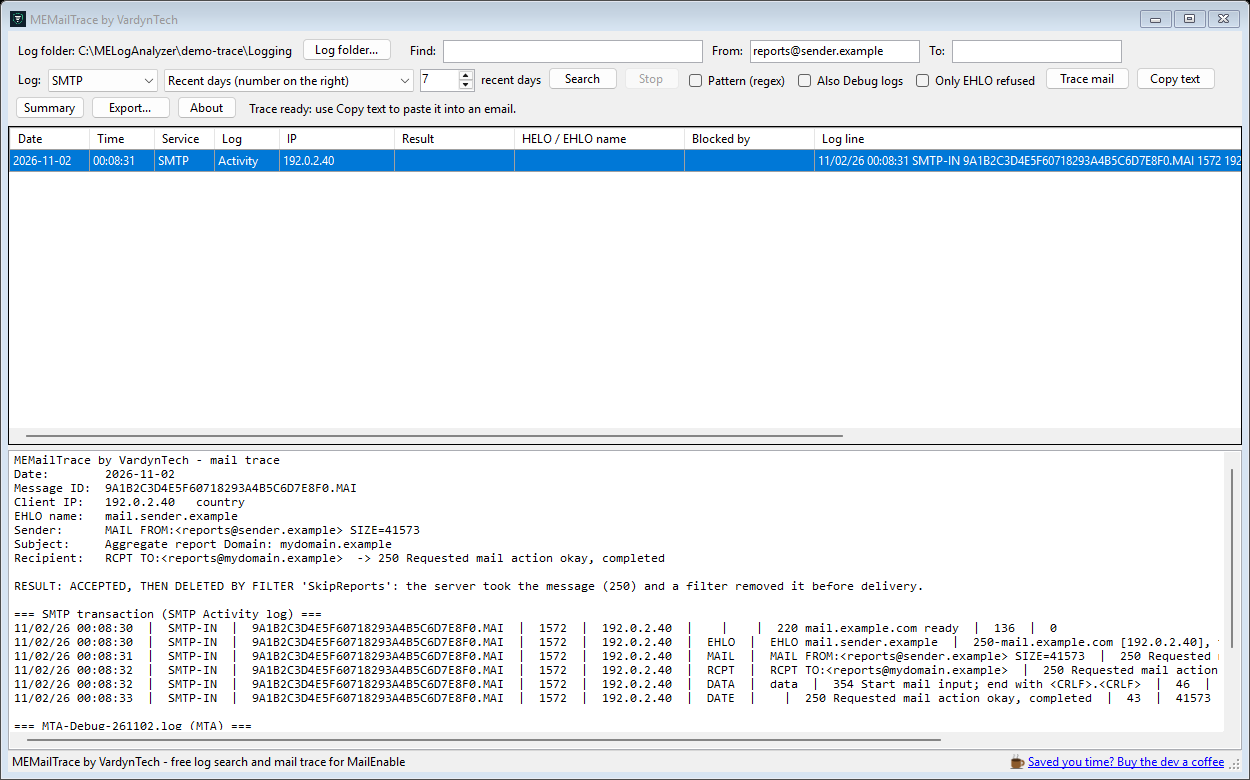
SMTP, MTA and filter records are separate until you bring them together.
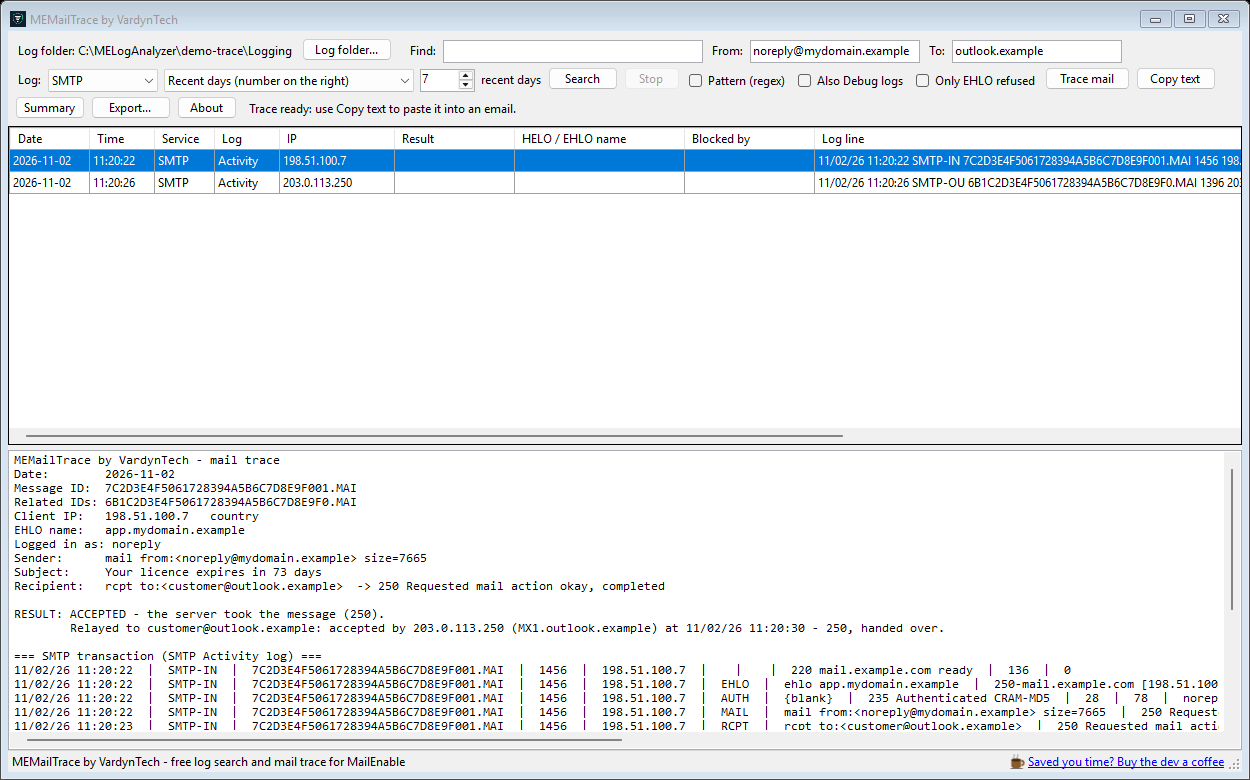
Support needs a plain result: refused, accepted, rejected, relayed or incomplete.
How MEMailTrace works
Search by IP, EHLO name, sender, recipient or account. Select a result and follow the available records into a single report.
Inside the tool
Click any screenshot to enlarge it.
Requirements & privacy
MEMailTrace is free. Download it from GitHub and run it on your MailEnable server: your logs never leave it.